GSiS Roster
v0.6.05
Loading school sign-in…
How to export from aSc / Edupage
- Open gsps.edupage.org and select Timetable online.
- Select the intended timetable and choose Export.
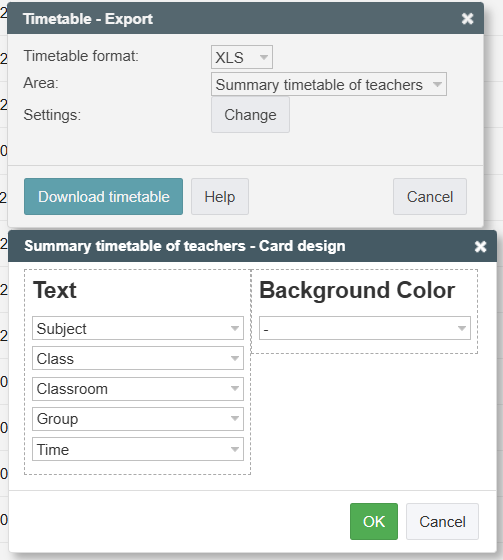
- Choose XLS and Summary timetable of teachers.
- Choose Change. Set Subject, Class, Classroom, Group and Time, in that order. Set Background Color to the dash option.
- Confirm, download, then upload the original .xls file here.